Back to Projects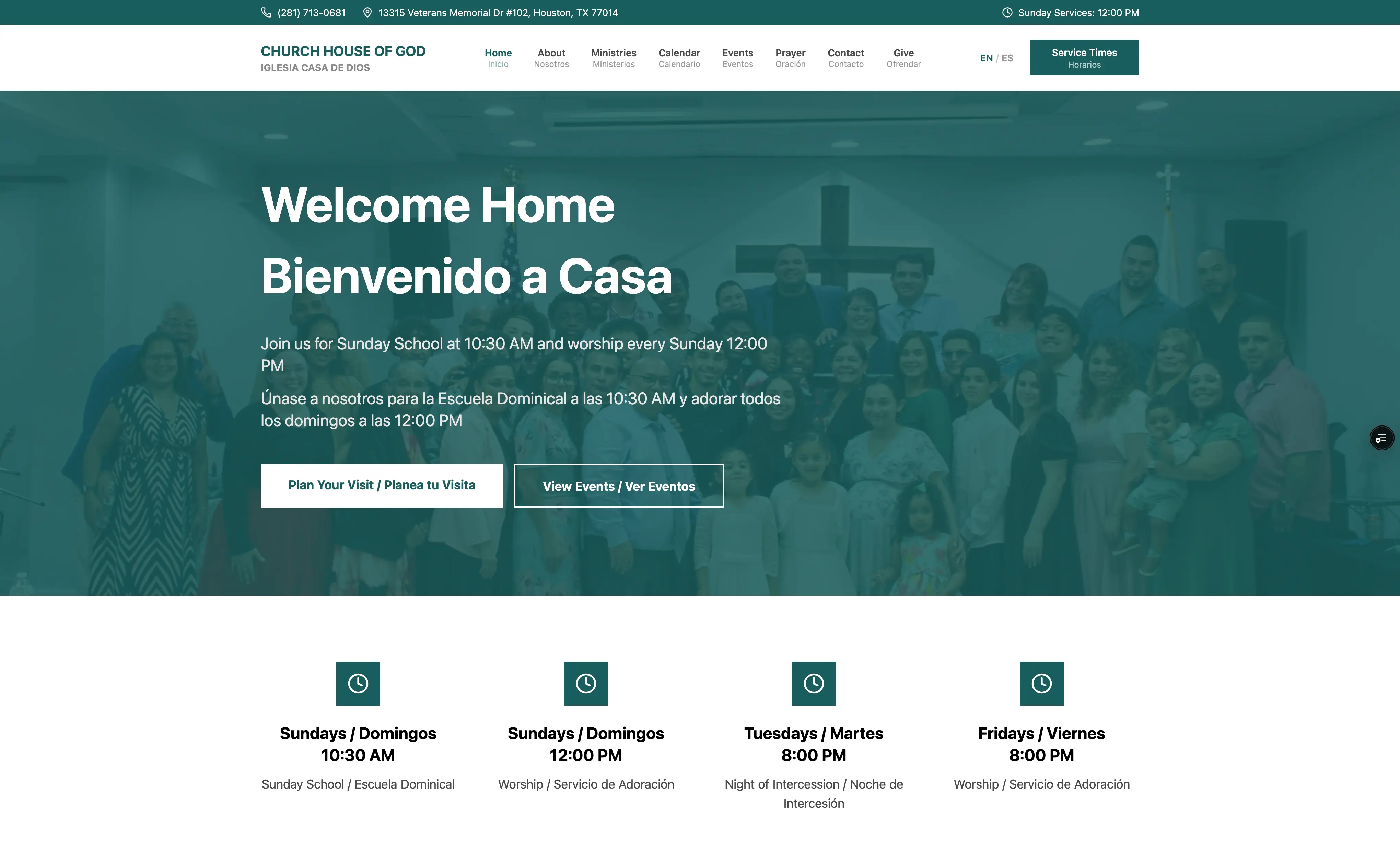
Church Website - Casa de Dios
I built a modern church website using Next.js and Tailwind CSS, integrating Sanity, a headless CMS, that empowers church administrators to self-manage events, announcements, prayer requests, and sermon archives — all without touching code. By combining responsive design, reusable components, and an intuitive content dashboard, the platform delivers a seamless experience for both visitors and staff.
ReactNext.jsTailwind CSSTypeScriptVercel
10
Pages
5
Sanity Content Types
2 (EN + ES)
Languages Supported
50+
GROQ Query Functions
~2–3 months
Build Time (Solo)
The Problem
Iglesia Pentecostal Casa de Dios is a bilingual church in the Houston, TX area that had no dedicated web presence. Founded in April 2010 by Pastors Francisca and Saul Contreras, the church serves a congregation that speaks both Spanish and English — sometimes in the same conversation. Without a website, the church had no reliable way to share service times, announce events, or let people submit prayer requests outside of Sunday morning.
Beyond just needing a website, the church staff needed to manage content themselves — updating announcements, adding events, and reviewing prayer requests — without calling a developer. The site also needed to handle real pastoral concerns around privacy: note everyone is comfortable sharing their prayer requests, so submissions needed to stay confidential so members feel safe.
The bilingual requirement wasn't just a translation problem. After presenting an early version of the site, the church admin made it clear they wanted both Spanish and English visible at the same time — not hidden behind a language selector — to reflect that the church genuinely operates in both languages simultaneously.
My Approach
I chose Sanity as the CMS because it gave non-technical staff a clean, structured editing interface without needing to touch code. I designed each content type — events, announcements, leadership, ministries, prayer requests — with bilingual fields built directly into the schema (e.g., 'title' / 'titleEs', 'description' / 'descriptionEs'). This meant editors had one form per document, not two separate language versions to keep in sync.
For the bilingual display, I deliberately avoided URL-based i18n routing (like next-intl's '[locale]' segments) because it would have added unnecessary URL complexity for church members. Instead, both languages render on every page simultaneously. A language toggle in the header — persisted in localStorage — controls which language is visually emphasized (bold, primary sizing), while the other language remains visible but secondary. This matched the church admin's vision of a site that speaks both languages at once.
I leaned heavily on Next.js App Router's Server Components model. Pages fetch Sanity content at request time with 5-minute revalidation, and 'use client' only appears where genuine interactivity is needed — the language toggle, the contact and prayer request forms, the interactive calendar, and the ministry detail modal. This kept the bundle lean and the pages fast without over-engineering a caching layer.
Visual Showcase
The homepage displays service times, active announcements from Sanity, and upcoming events — all in English and Spanish simultaneously.
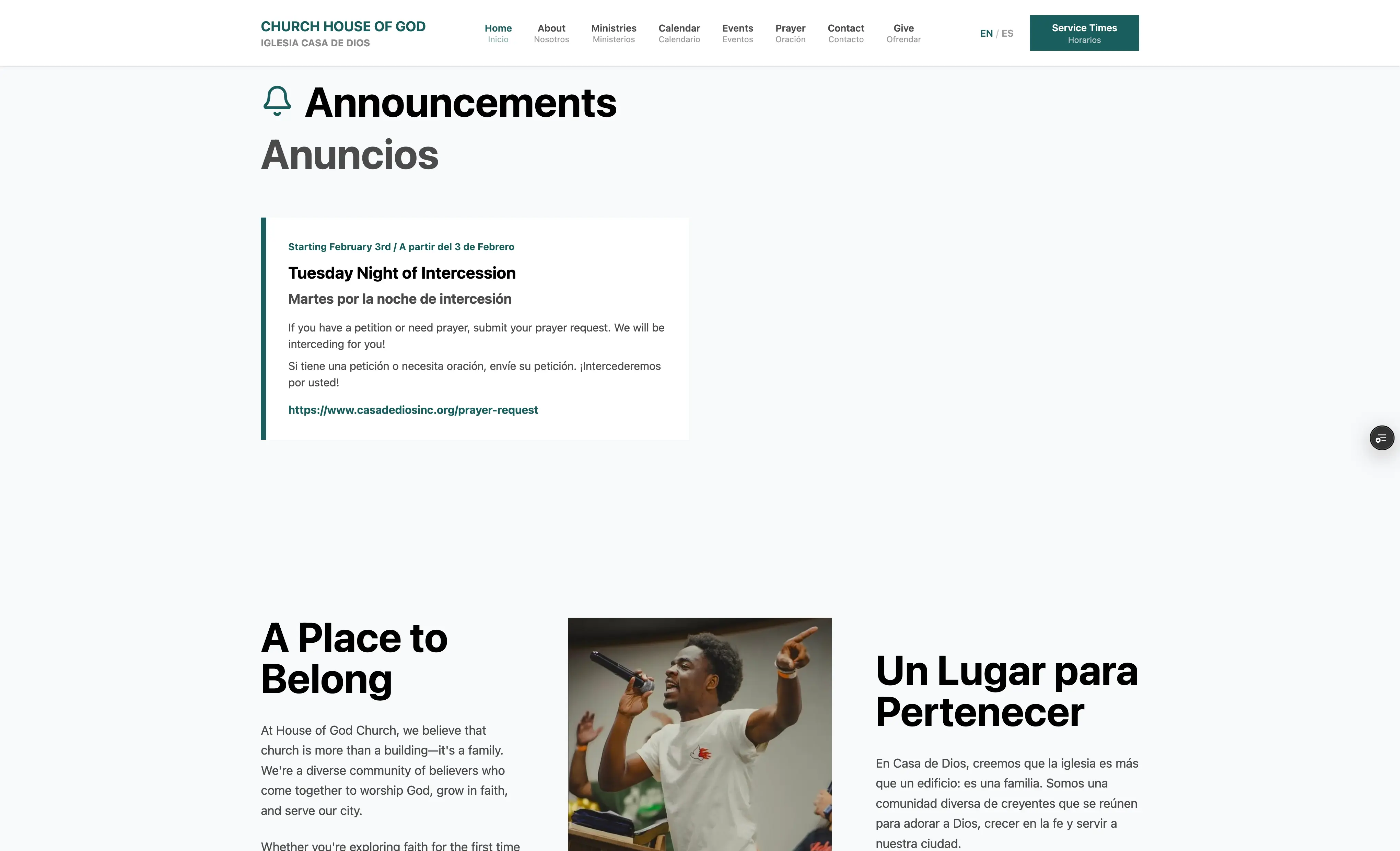
The homepage also displays a list of announcements, dynamically pulled from Sanity, and a clear call to action.
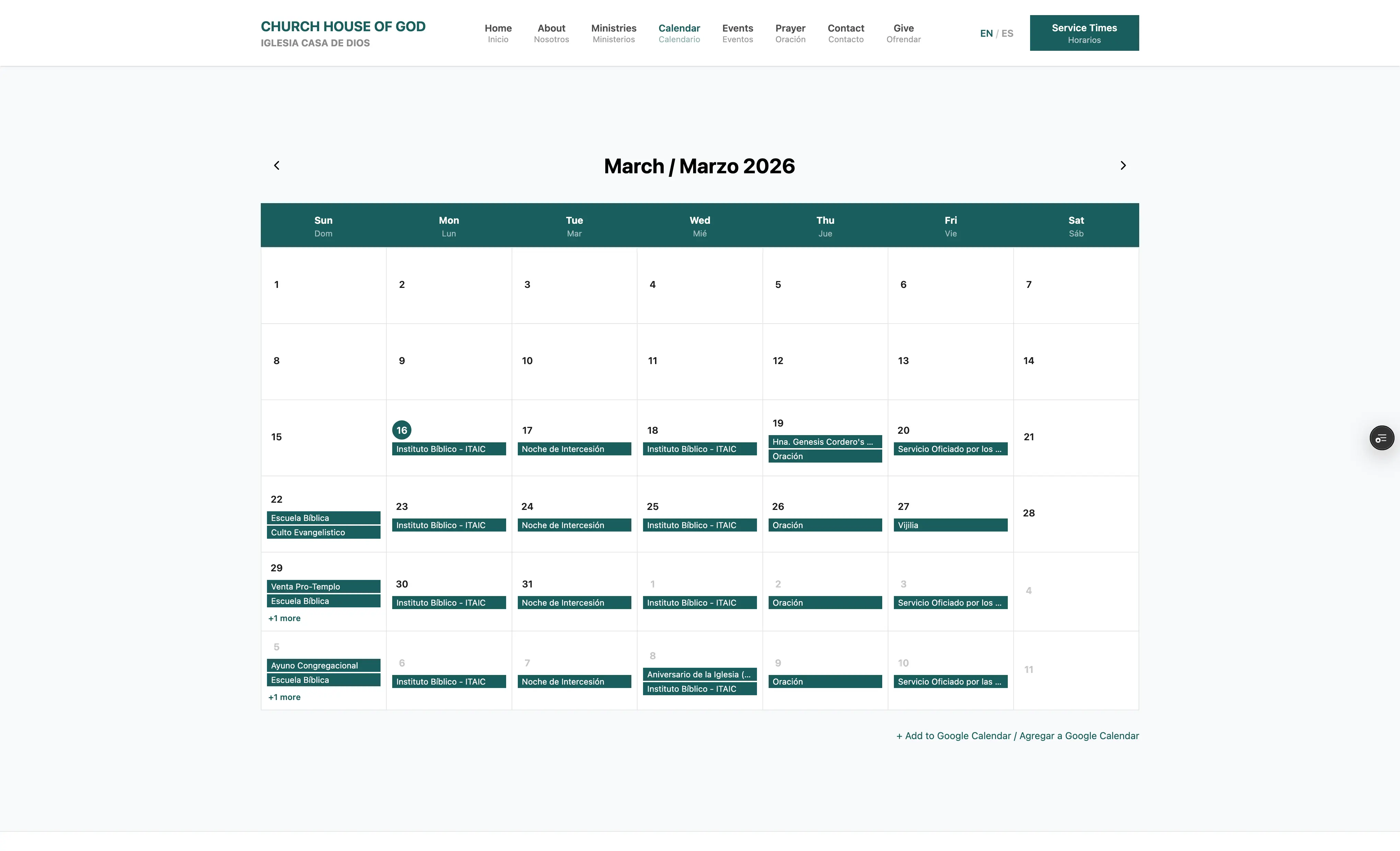
The calendar view pulls events from Google Calendar and lets visitors click any day to see full event details, including time and location.
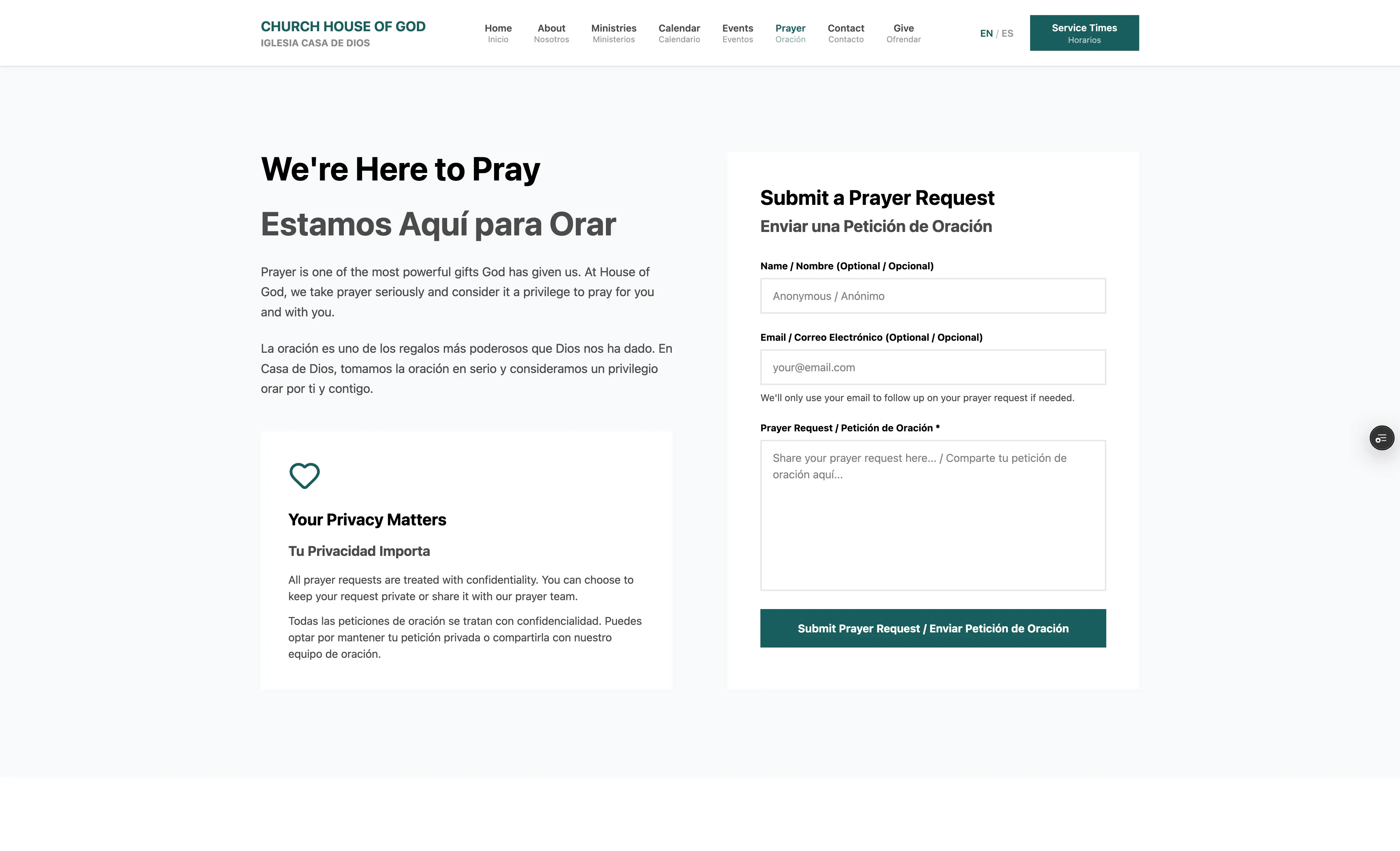
Prayer requests are submitted anonymously or with a name, stored privately in Sanity, and only made public after staff review.
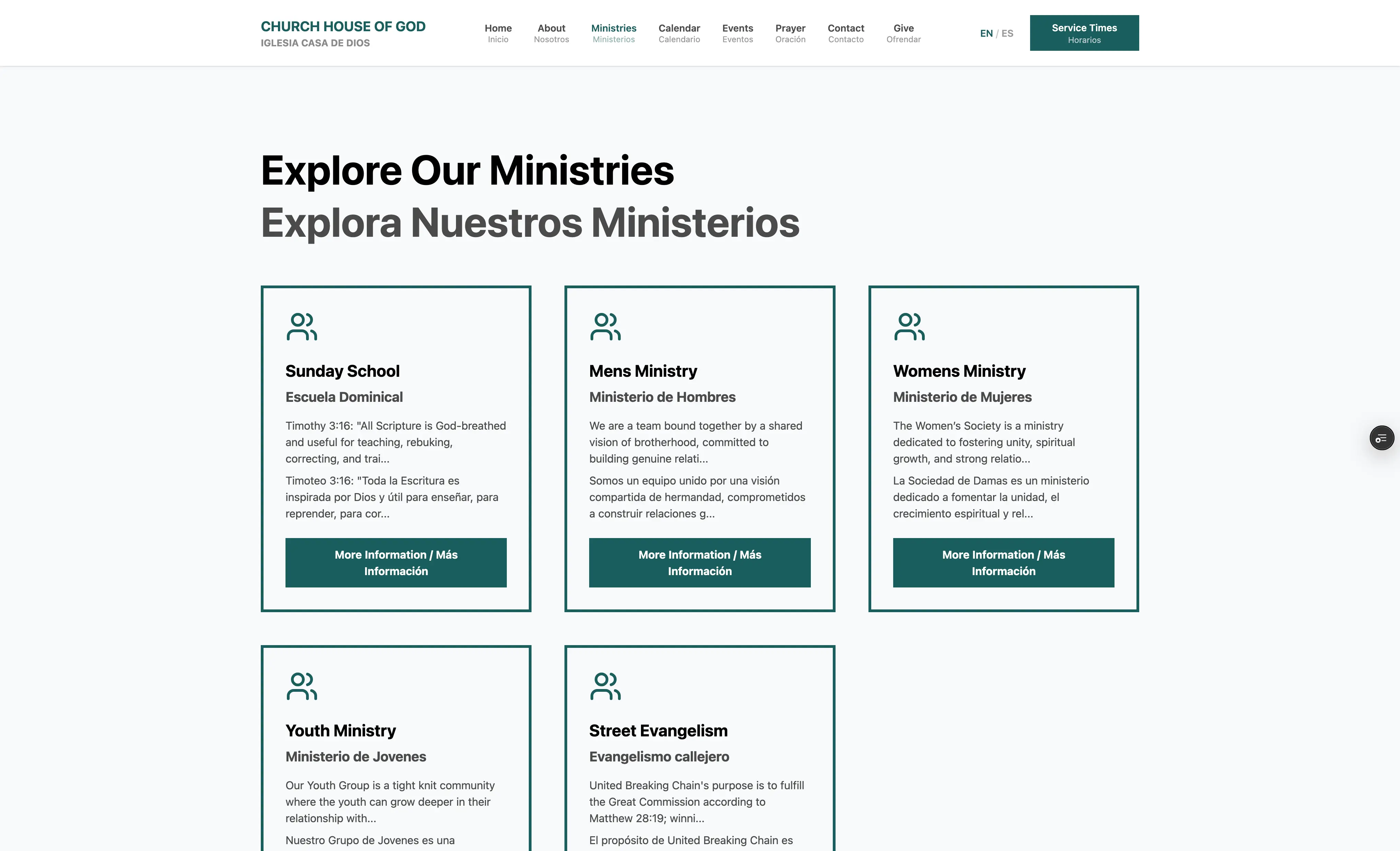
The ministries page lists all church ministries with descriptions in both languages, allowing visitors to learn about different ways to get involved.
Technical Deep Dive
All Sanity data access is centralized in 'src/lib/sanity/queries.ts', which contains over 50 named GROQ query functions grouped by entity. Every query uses explicit field projections so only the fields needed are fetched — for example, the public prayer request query explicitly excludes 'contactEmai' to prevent private data from ever reaching the client. I maintain two separate Sanity clients: a CDN-backed read client for published content, and a server-only write client (guarded by 'SANITY_WRITE_TOKEN') used exclusively by the prayer request API route.
The prayer request workflow is the most privacy-sensitive feature on the site. Submissions hit a 'POST /api/prayer-request' route that validates input server-side, creates a Sanity document with 'status: 'pending'' and 'isPublic: false', and returns a success response. Nothing appears publicly until a staff member manually sets the status to 'approved' and flips 'isPublic' to 'true' inside the Sanity Studio. The Studio's custom desk structure surfaces a pre-filtered 'Pending Requests' view so staff can quickly triage new submissions.
The interactive calendar at '/calendar' integrates with the Google Calendar API via 'src/lib/google-calendar.ts', fetching 6 months of events with a 5-minute cache. The 'CalendarGrid' client component handles month navigation, day selection, and event detail rendering entirely client-side after the initial data fetch. Dates display in Central Time ('America/Chicago') using the native 'Intl.DateTimeFormat' API — a bug I ran into early on where event times were rendering in the visitor's local timezone instead of the church's actual time.
Environment variables are validated at build time using '@t3-oss/env-nextjs' with Zod schemas defined in 'src/env.js'. This means a missing 'GOOGLE_CALENDAR_API_KEY' or misconfigured Sanity project ID fails loudly at startup rather than silently breaking at runtime. TypeScript strict mode is enabled throughout, and the Sanity schema types in 'src/lib/sanity/types.ts' are hand-maintained interfaces that mirror the GROQ projection shapes, not auto-generated, giving me full control over the type surface.
The Sanity Studio is deployed as a standalone application at 'casa-de-dios.sanity.studio', separate from the Next.js site. I built a custom dashboard with three widgets — a welcome panel, a quick links panel for common tasks, and a stats panel showing document counts — and a custom desk structure that organizes content into logical sections (Content Management, People & Groups, Community) rather than the default alphabetical type list.
Challenges & Lessons
Timezone rendering was a silent bug that took a while to nail down. Event times were displaying correctly in my local environment but would shift for anyone in a different timezone because I was relying on 'new Date().toLocaleString()' without specifying a timezone. Every event time on the site now explicitly passes 'timeZone: 'America/Chicago'' to 'Intl.DateTimeFormat', which fixed it — but I'd have caught it earlier if I'd tested with a timezone override from the start.
The embedded Sanity Studio broke and I had to migrate to a standalone deployment. I originally embedded the Studio at '/studio' inside the Next.js app using the App Router's catch-all route. A bug in that setup made the Studio non-functional, and rather than block content editing while I debugged it, I migrated to Sanity's standalone deployment. In hindsight, standalone is the better architecture anyway — the Studio and the site have independent deploy cycles. I still want to revisit the embedded setup eventually.
The bilingual requirement changed shape mid-project. My initial assumption was that users would pick a language and see only that language — a standard i18n pattern. When I showed the admin an early build, they pushed back: the church operates in both languages at once, and the site should reflect that. Pivoting from a hidden-language model to a simultaneous-display model required rethinking how every page renders content. It ended up being cleaner than I expected — the 'getLocalizedField' helper and consistent 'field'/'fieldEs' naming made it manageable — but it's the kind of requirement that's much easier to build for from the beginning than to retrofit.
Separating public and private data in prayer requests required intentional architecture. It would have been easy to accidentally expose contact emails or unreviewed prayer requests. I structured the separation at multiple layers: the API route uses a server-only write client, public queries explicitly exclude 'contactEmail' in their projections, and the 'isPublic' + 'status' flags give staff granular control. Writing it this way from the start meant I never had to go back and audit for accidental data leakage.
Want to see it in action?
Explore the live application or dive into the source code to see how it works.