Back to Projects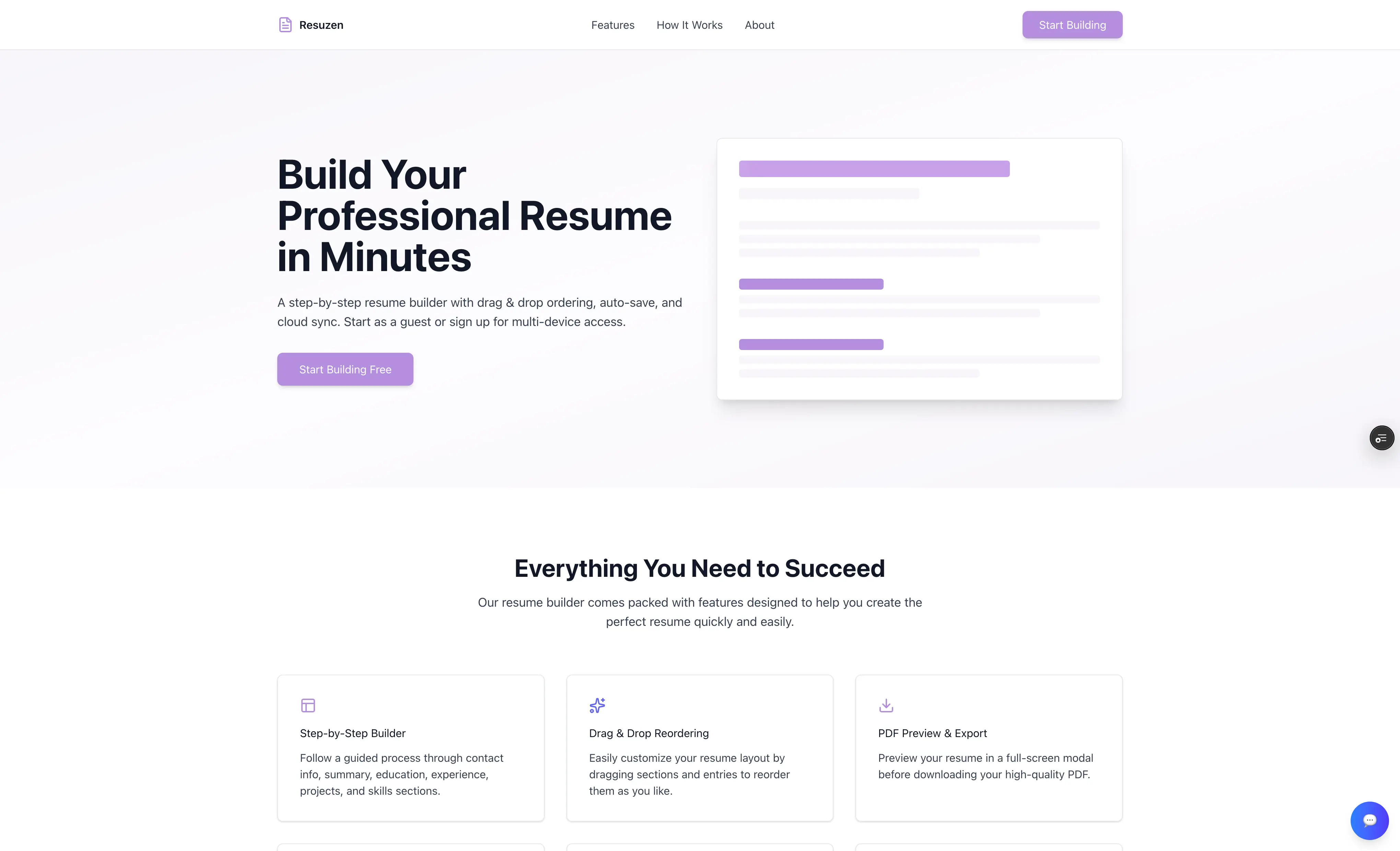
Resuzen - Resume Builder
A step-by-step resume builder that produces polished PDF resumes through LaTeX typesetting. Built to help underclassmen at my university create professional resumes without fighting formatting — guided sections, drag-and-drop reordering, auto-save, and cloud sync included.
Next.jsTailwind CSSLaTeXVercelJavaScript
Instant
PDF Generation
Every 3s
Auto-Save
No signup
Guest Mode
The Problem
Many college underclassmen struggle to create professional resumes. Existing resume builders either charge subscription fees, produce generic templates, or lack the typographic quality needed for competitive job applications.
Students need step-by-step guidance, but most tools assume you already know what to include. They also need to be able to leave, come back, and pick up where they left off — without losing work or starting over.
My Approach
I built a guided, section-by-section builder with a persistent sidebar that shows progress across all 8 sections: Contact, Summary, Education, Experience, Projects, Certifications, Volunteering, and Skills.
Each section includes inline tips and example prompts — not just empty fields. The goal was to lower the activation energy for students who have never written a resume before.
Rather than a freeform drag-and-drop canvas, I used a structured form-based approach that ensures resume consistency while still giving users control. Sections and entries can be reordered via drag-and-drop in the sidebar, with changes reflected instantly in the PDF output.
Auto-save runs every few seconds in the background. Guest users get localStorage persistence; signed-in users get cloud sync across devices. No work is ever lost either way.
Visual Showcase
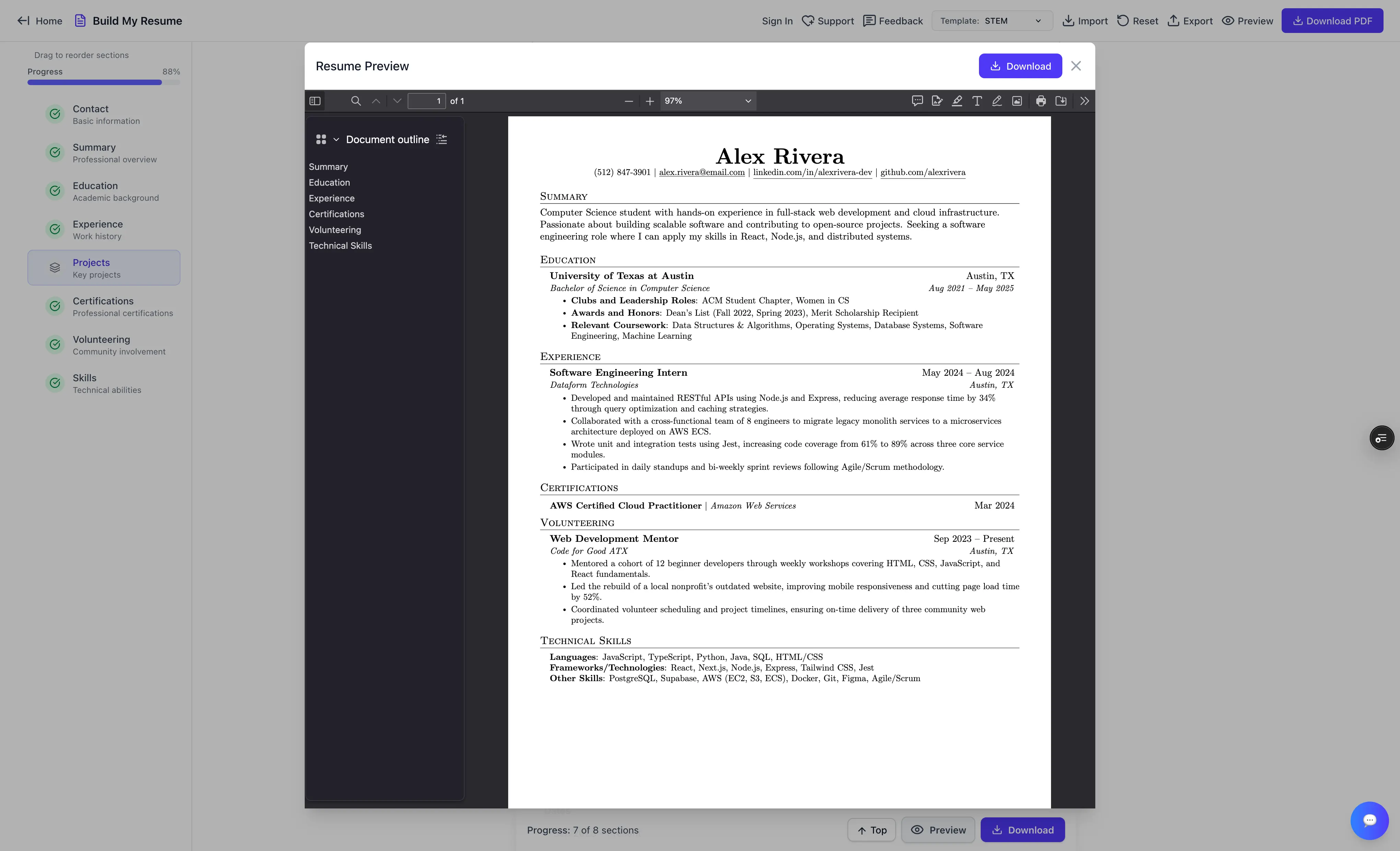
Full-resume PDF preview modal with document outline — view before you download
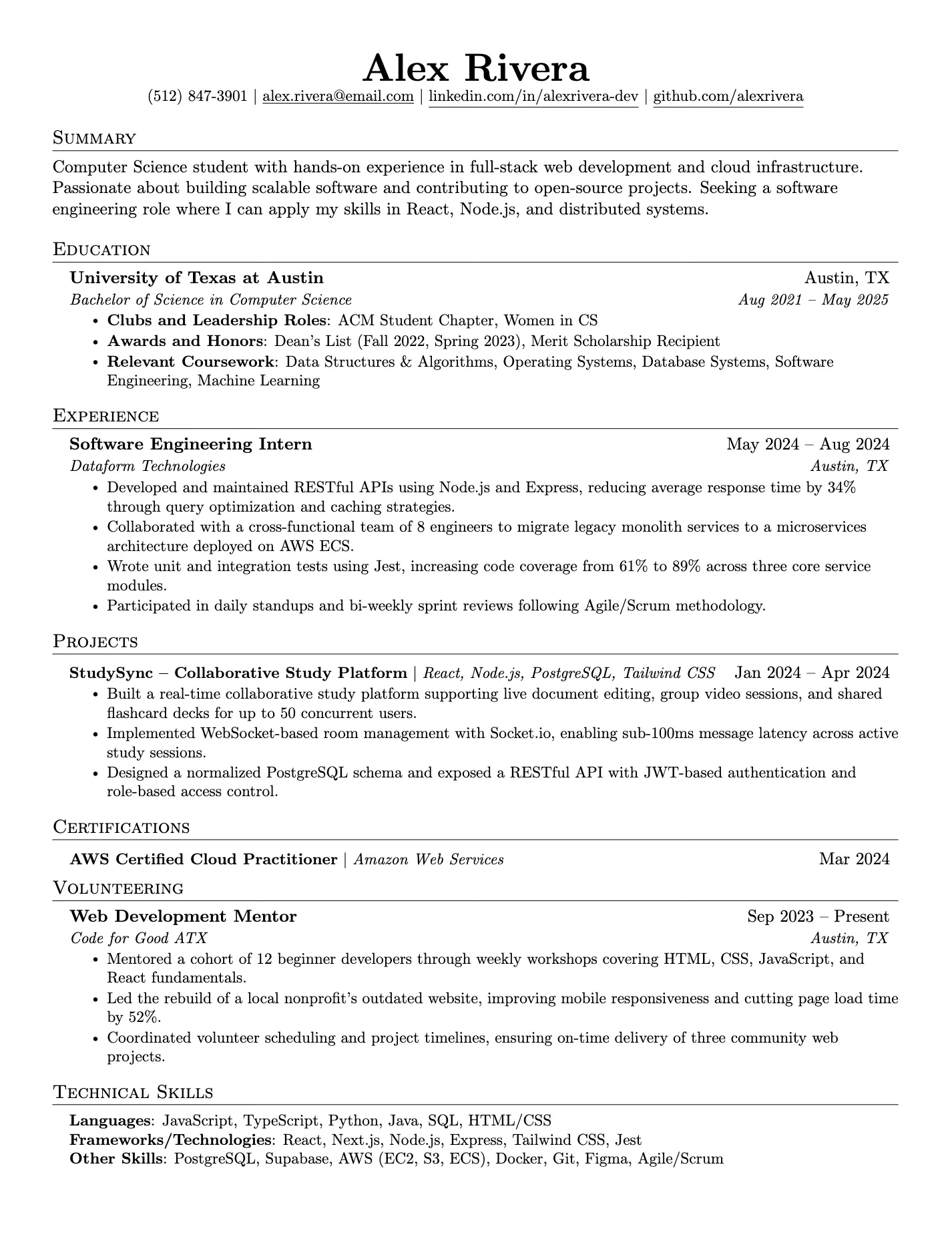
LaTeX-typeset output — Stanford format, clean and recruiter-ready
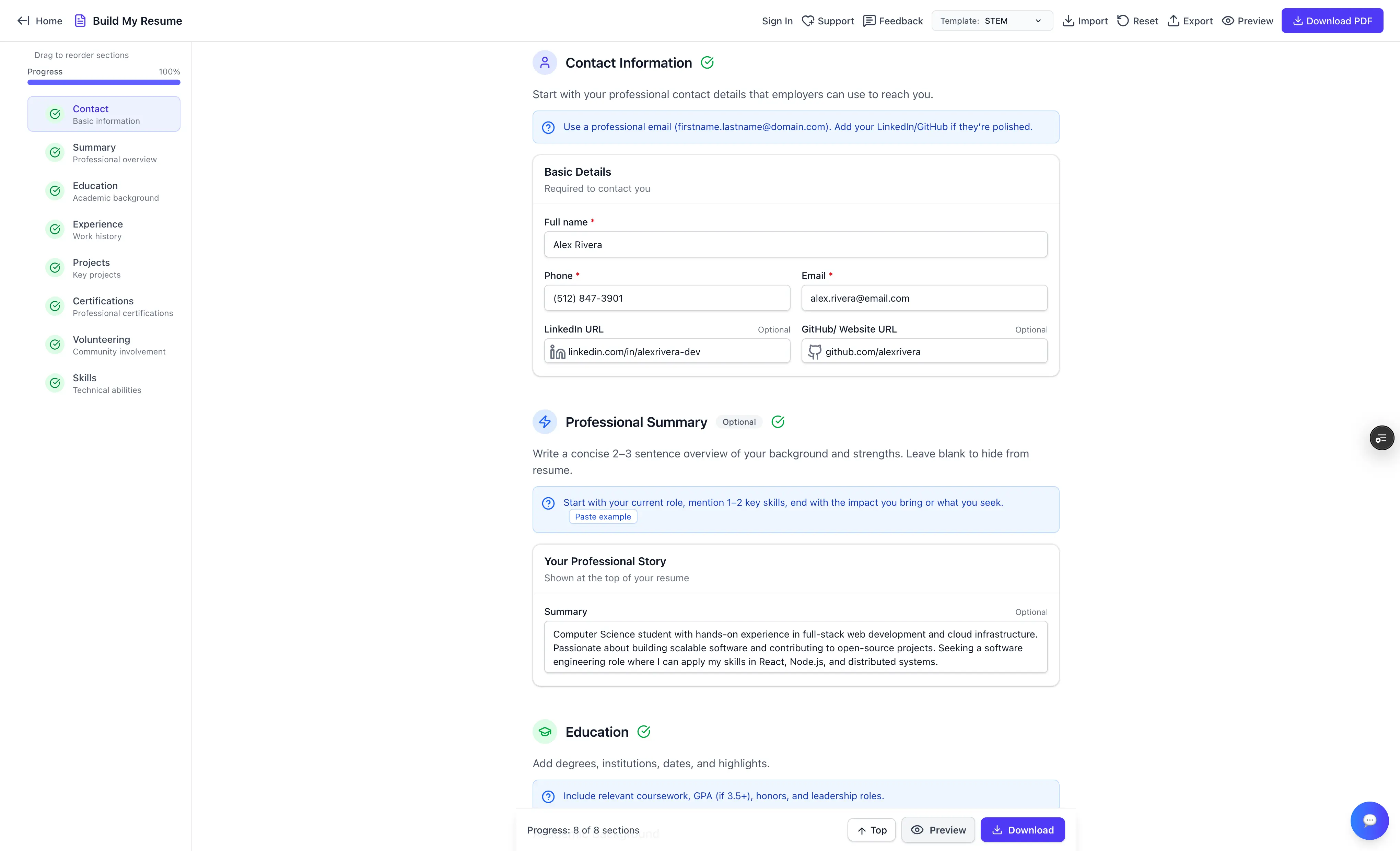
Step-by-step builder with all 8 sections complete and progress tracking
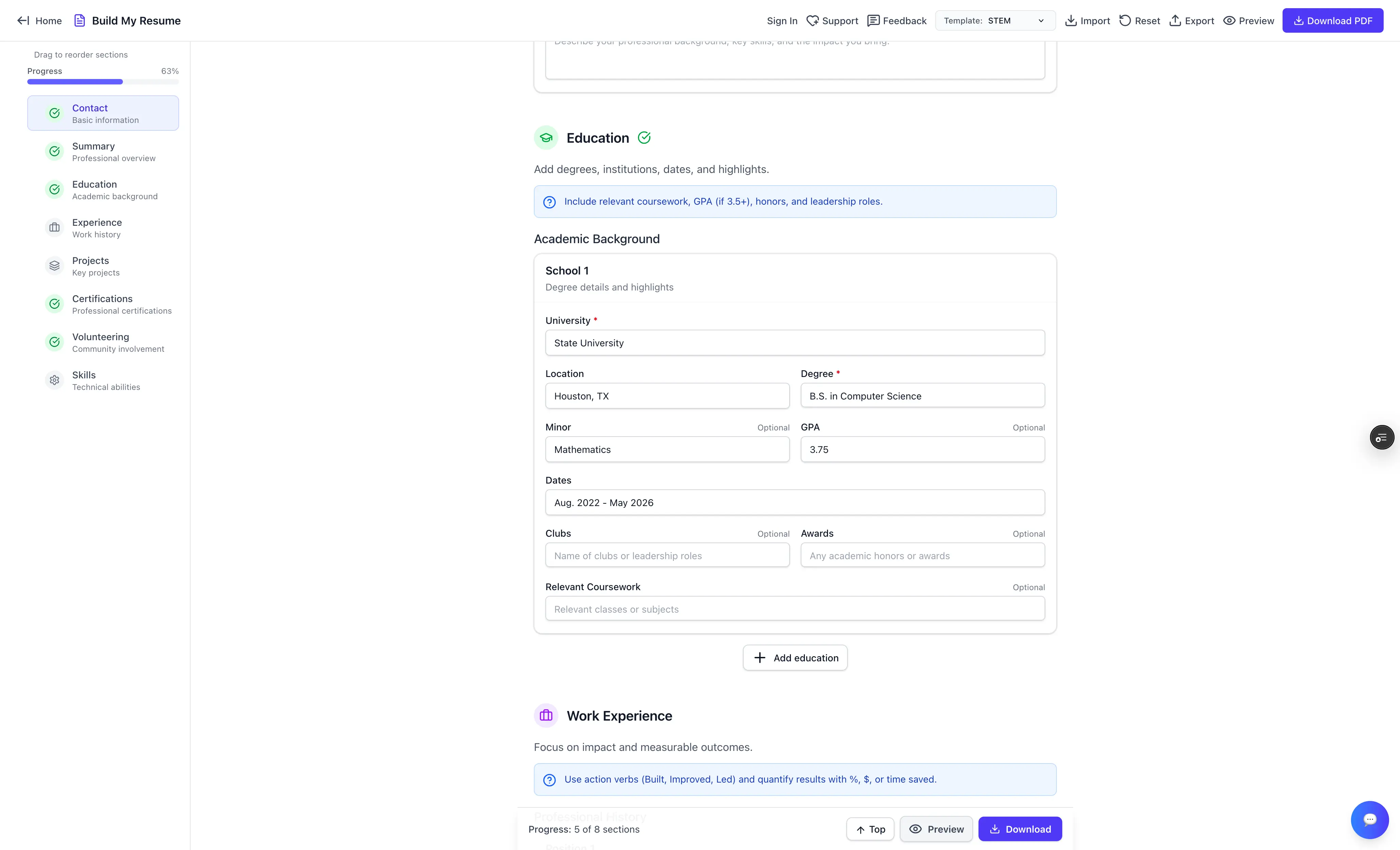
Guided form fields with inline tips — GPA, coursework, awards, and more
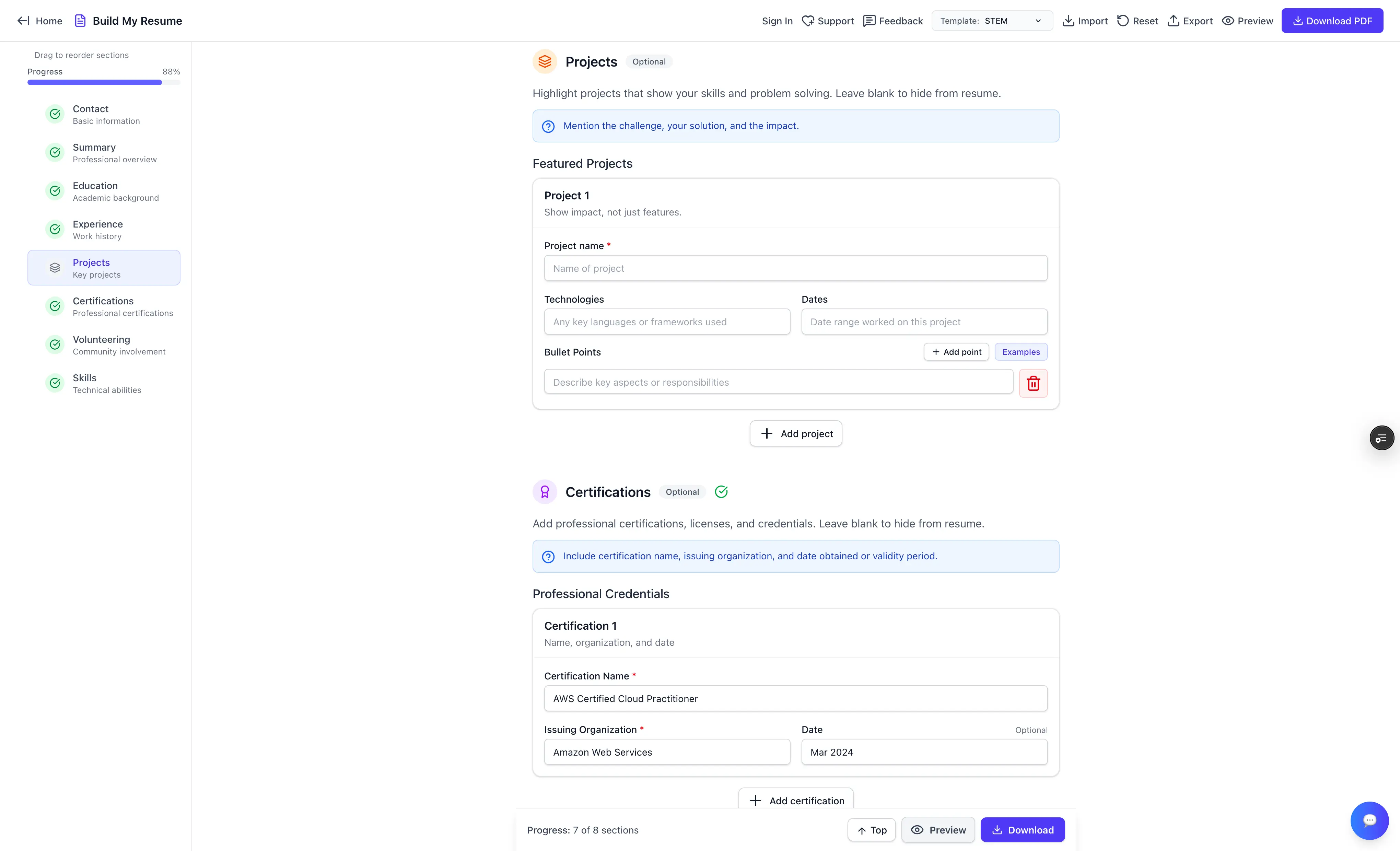
Section depth — Projects with bullet point builder, Certifications with credential fields
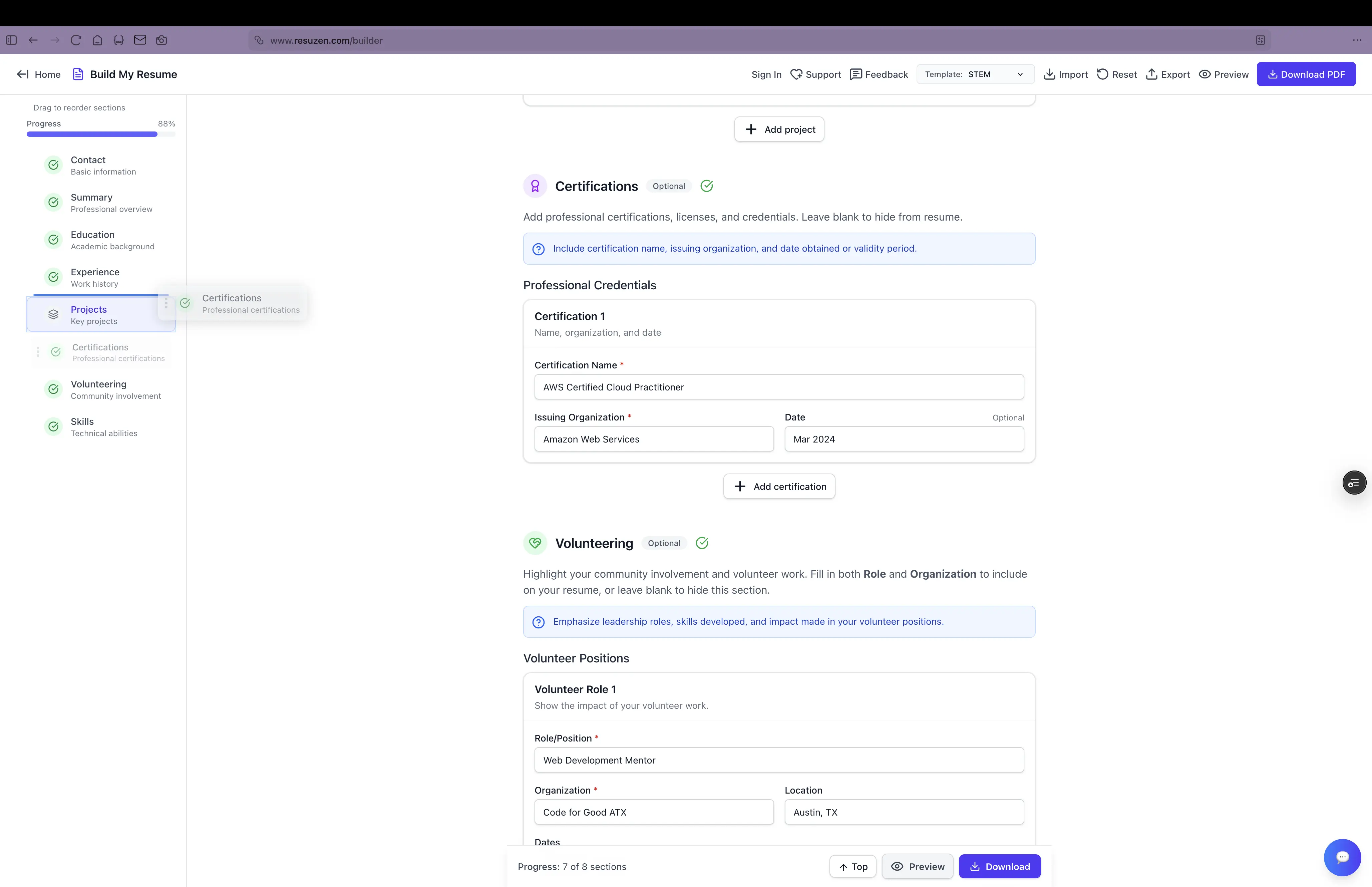
Drag to reorder sections and entries — layout changes reflect in the PDF instantly
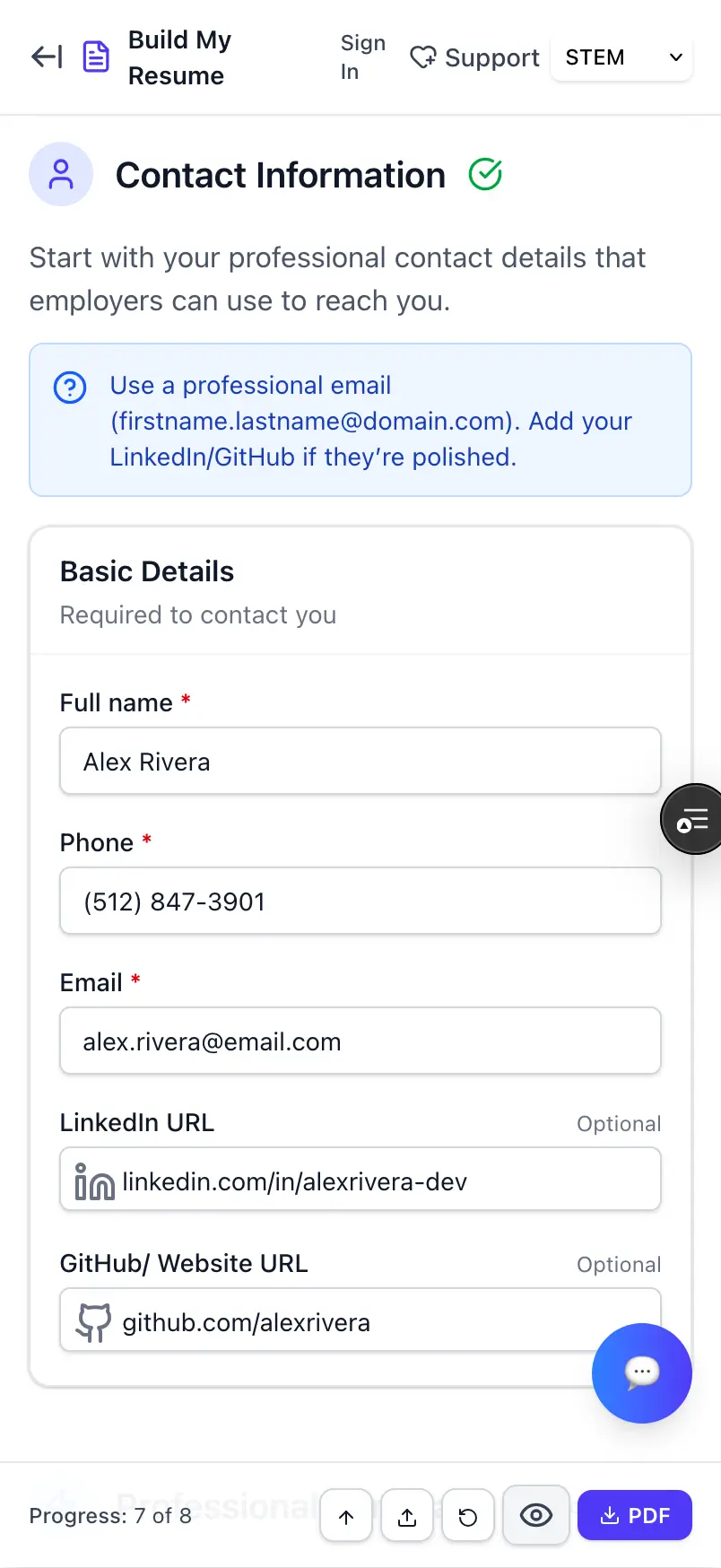
Fully responsive — build your resume on any device
Technical Deep Dive
Why LaTeX over PDF libraries? LaTeX produces professional-quality typesetting — the same output quality as documents designed by experienced typographers. PDF libraries require fragile manual positioning; LaTeX handles layout systematically.
The builder uses a template system (currently STEM) that swaps LaTeX preambles while keeping the same underlying data structure. Adding a new visual style means writing a new preamble, not restructuring the form layer.
State management mirrors the LaTeX document structure directly, making final compilation straightforward. React Context handles in-session state; localStorage and cloud storage handle persistence across sessions depending on auth status.
The progress tracker calculates completion as a ratio of filled required fields across all 8 sections, giving users a real-time percentage and per-section completion indicators in the sidebar.
Users can export their resume data as JSON for backup and import it to restore state on any device — a data portability feature that also serves as a lightweight migration path between guest and signed-in modes.
Challenges & Lessons
Challenge: LaTeX compilation errors are cryptic and opaque to end users. Solution: Built a custom error parser that maps LaTeX error codes to user-friendly messages pointing to the specific field that caused the issue.
Challenge: Different resume sections need fundamentally different layouts — bullet points, multi-column blocks, inline formatting. Solution: Created reusable LaTeX macros per section type that handle layout complexity while exposing clean configuration options to the form layer.
Challenge: Users needed drag-and-drop reordering without disrupting the form state. Solution: Implemented section and entry reordering that updates both the sidebar order and the underlying data array simultaneously, keeping the PDF output in sync.
Key Lesson: Forms are the right tool when data structure matters. A fancier editor would have been impressive but less effective at guiding first-time resume writers toward a consistent, quality output.
What I'd add next: AI-powered bullet point suggestions and a review pass that flags common resume mistakes — passive voice, missing metrics, vague descriptions.
Want to see it in action?
Explore the live application or dive into the source code to see how it works.